Aim at the center and select.
Start with ⇧⌘2. Click a window under the center of the finder, or drag to select an area. You can change the shortcut.
Point out what needs to change. Send several images together.
Keep a reference visible while you work.
Capru puts Mac screenshots straight to work
in documents and messages.
¥980 in Japan · One-time purchase
Available now on the Mac App Store. Pricing varies by country or region.
macOS 15.2 or later · Japanese / English · No account required
Start with ⇧⌘2. Click a window under the center of the finder, or drag to select an area. You can change the shortcut.
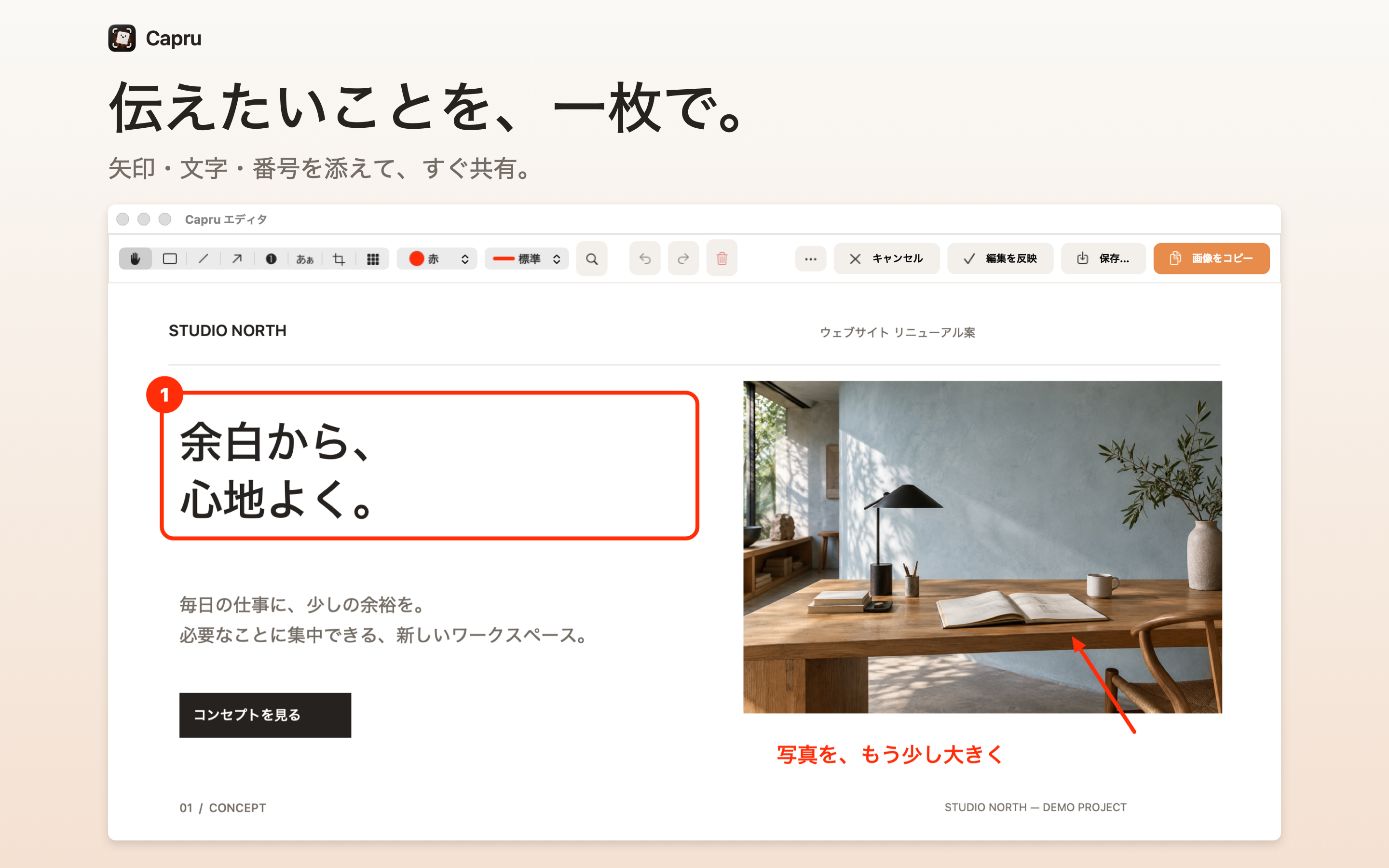
Add arrows, numbers, and text to highlight key points. Use pixelation and cropping to prepare the image you want to share.
Choose Copy Image, then press ⌘V in the destination app. You can also save the result as a PNG file.
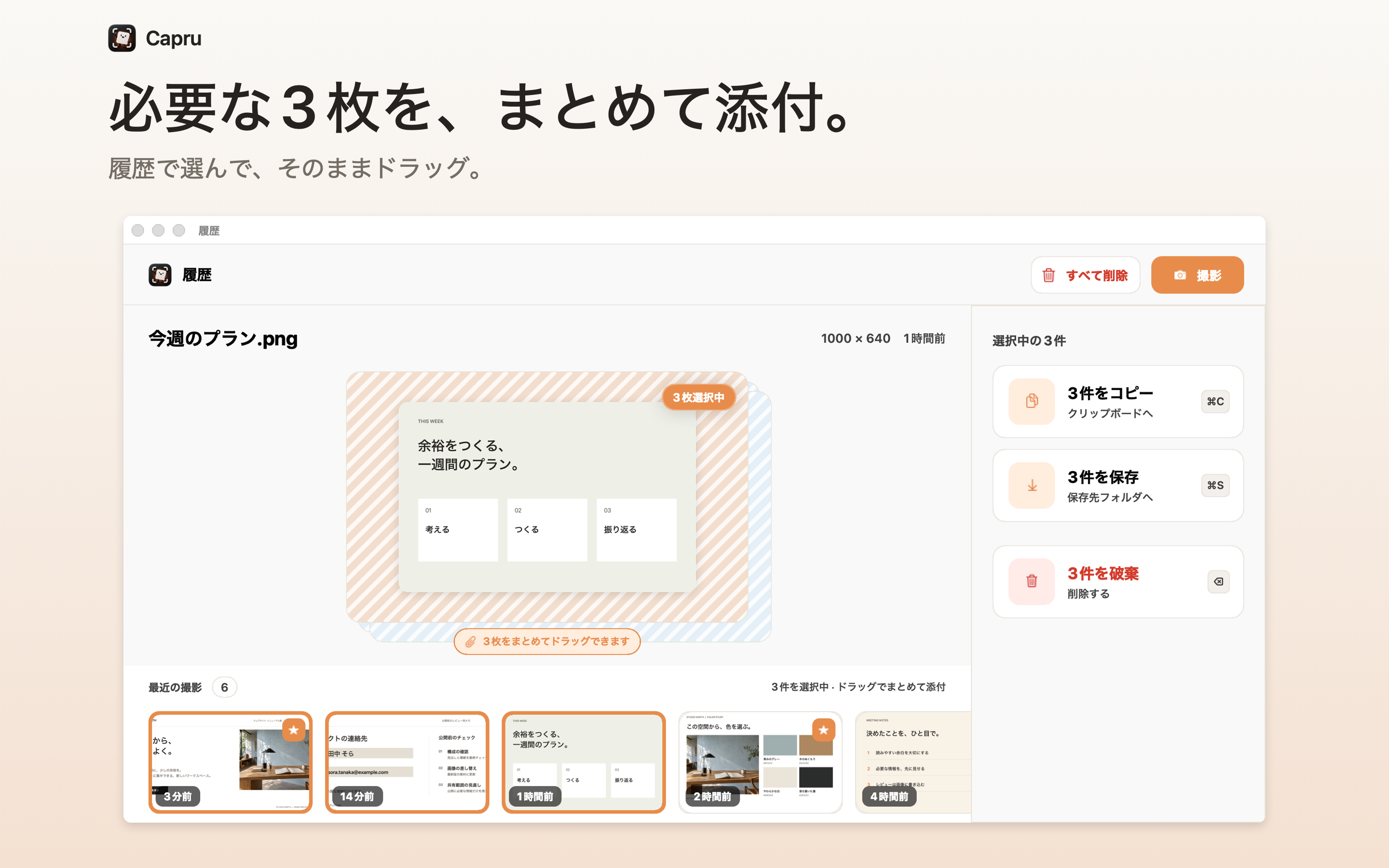
Select several images in history and drag them into a compatible app. You do not have to find and attach reference images or steps one by one.
You can also pin a reference image above your windows while you work. Mark items you want to keep as favorites.
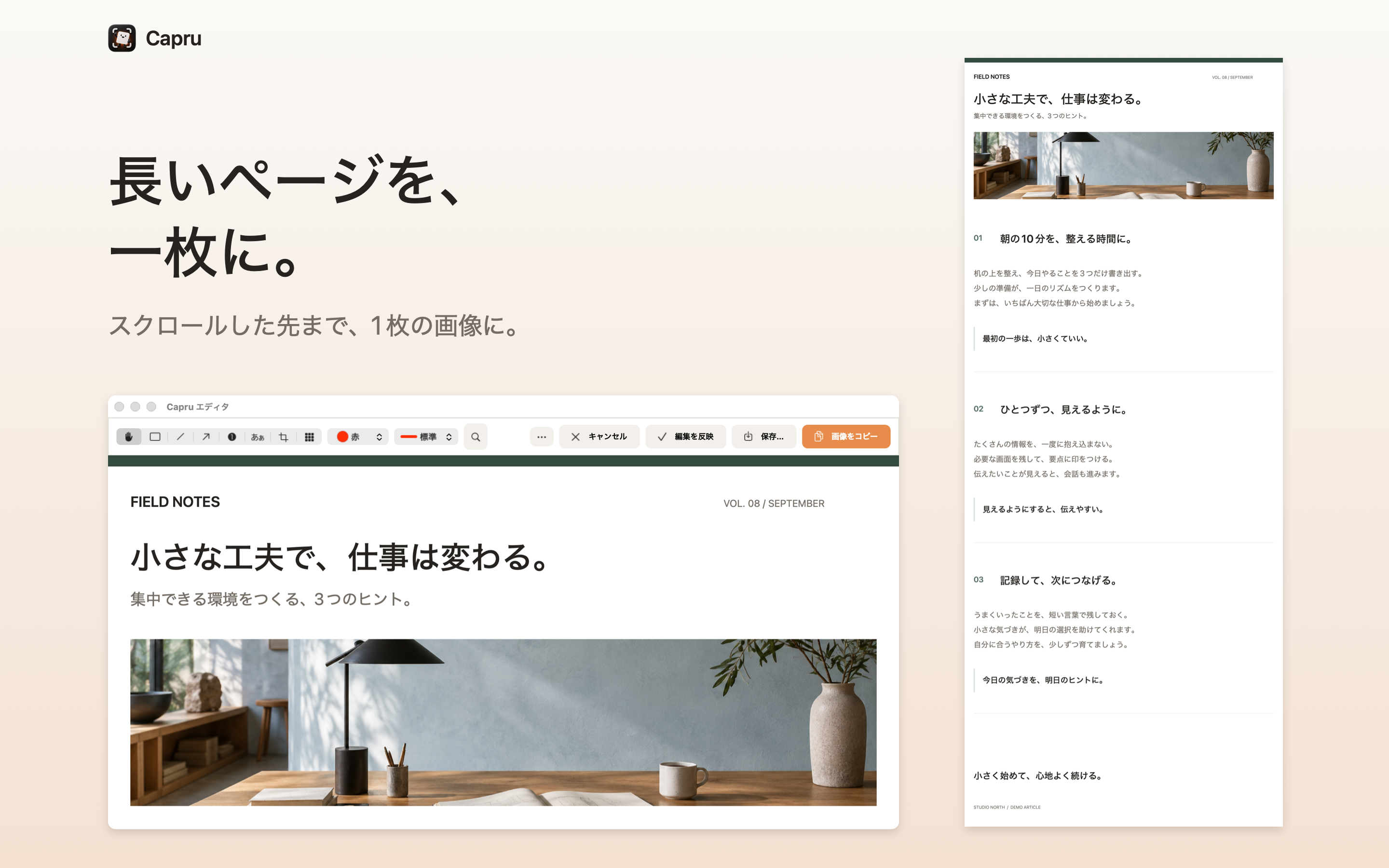
Scroll slowly downward within the selected area to create one long image. Keep an entire web page or conversation in a single capture.
Fixed headers and animated areas may leave visible seams.
Record an area for up to 10 minutes and trim it. Segments up to 60 seconds can also be exported as GIFs. Capru does not record microphone or system audio.
Recognize and copy text from an image. Review mask suggestions created by OCR, then apply pixelation.
Cut out the subject, then copy or save it as a transparent PNG asset.
Capture, editing, text recognition, and background removal run on your Mac. Capru does not send captured content to external servers. There is no account registration, usage analytics, advertising, or tracking.
Regular history holds up to 50 items. You can choose how it is retained, and favorites are protected from automatic deletion. Original images are retained in history for editing again. Saving to a synced folder or passing an image to another app is governed by the settings of the service you use.
Read the privacy policyAllow macOS Screen Recording and take a test screenshot. You can choose a save folder the first time you save, so you can try capturing and copying first.
Check the keys and registration status in settings. If the default ⇧⌘2 conflicts with another app, try ⌥⌘2. Take a test screenshot after changing it. You can also start from the menu bar.
No. Deleting an item from history does not remove a PNG or MOV file you exported. History also retains the original for editing again, so exporting a pixelated image does not delete its original.
Capru is available now on the Mac App Store as a one-time purchase, with no subscription. The price is ¥980 in Japan. Check the App Store for pricing in your country or region. Requires macOS 15.2 or later.